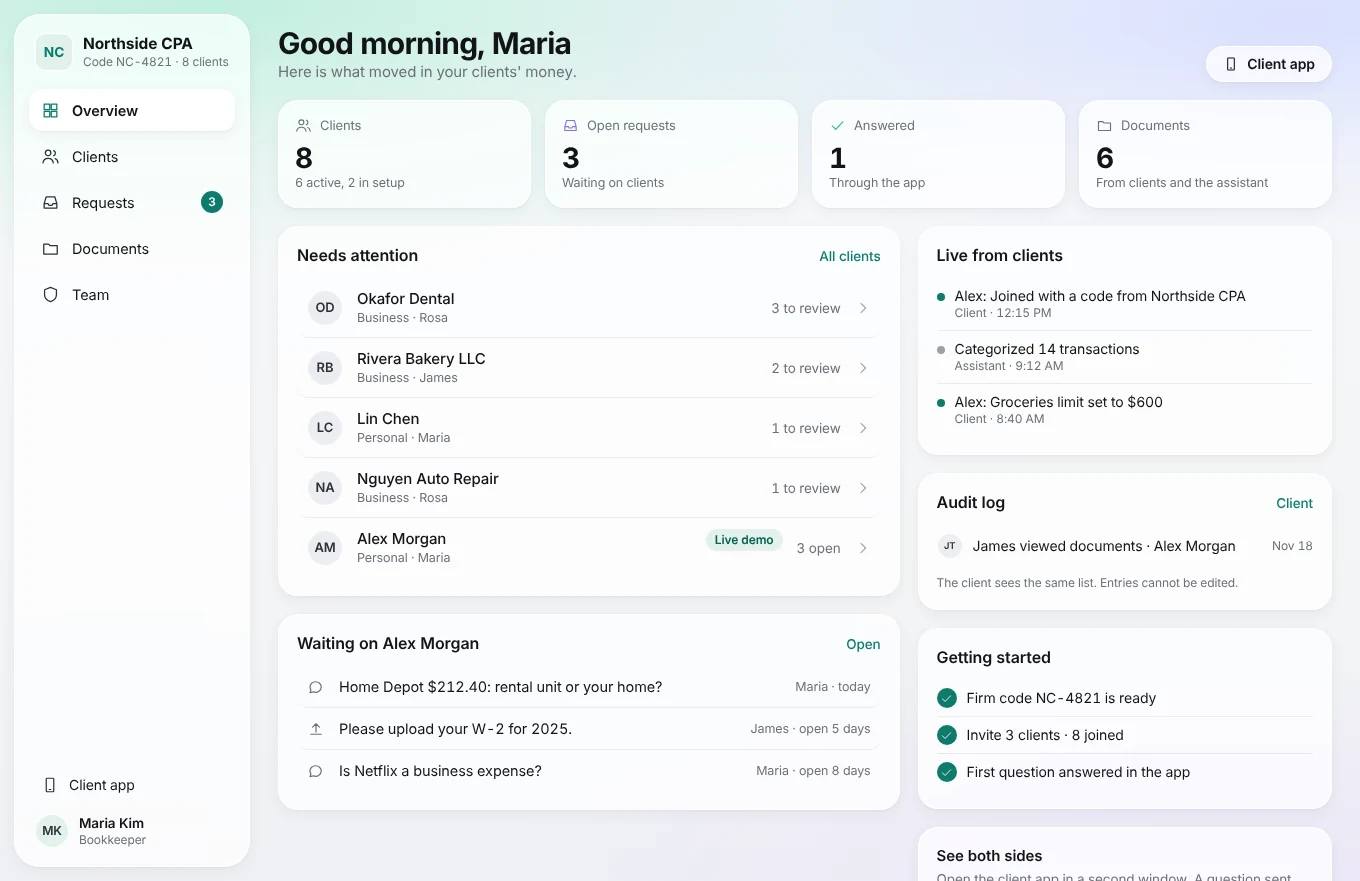
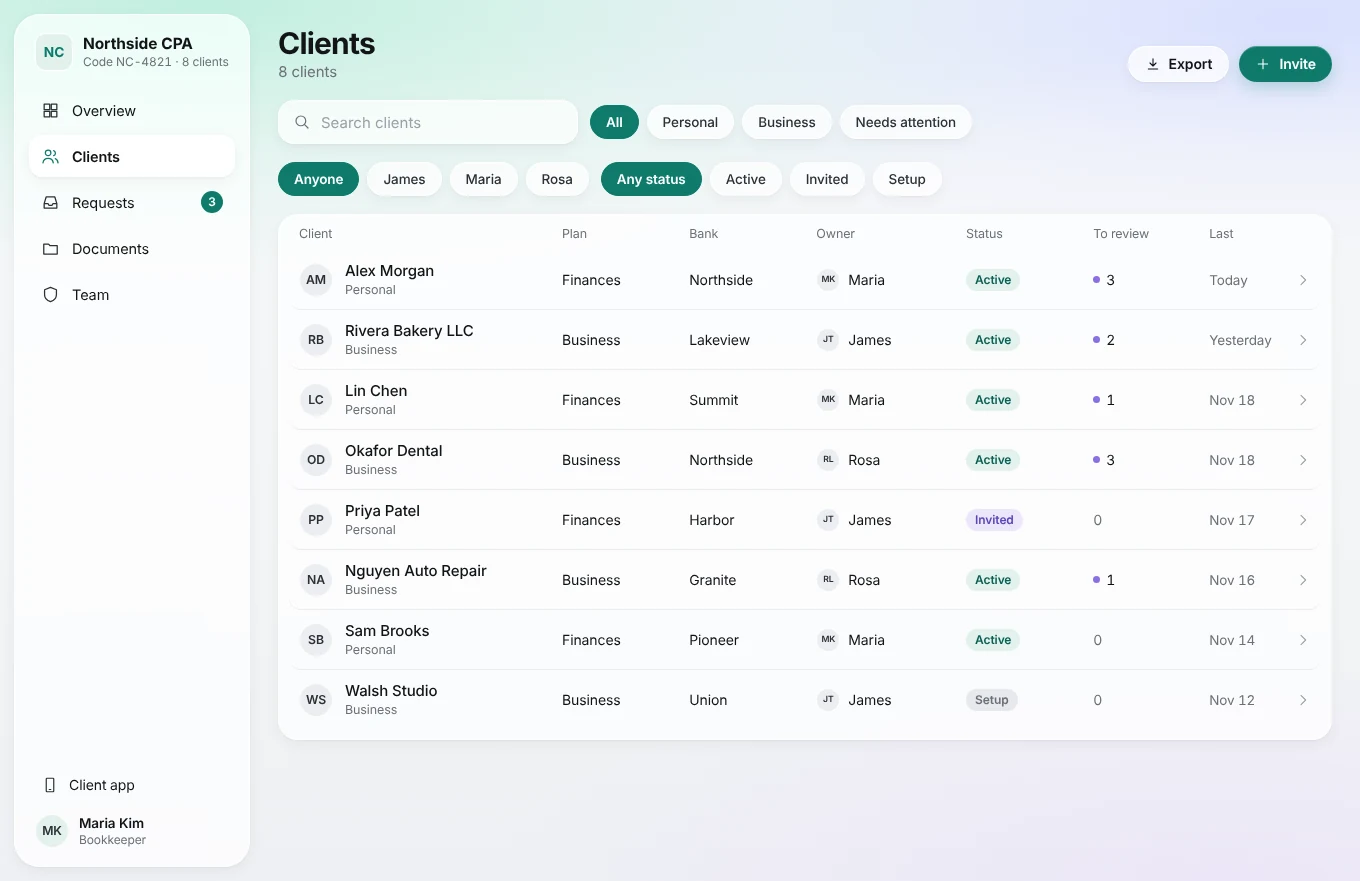
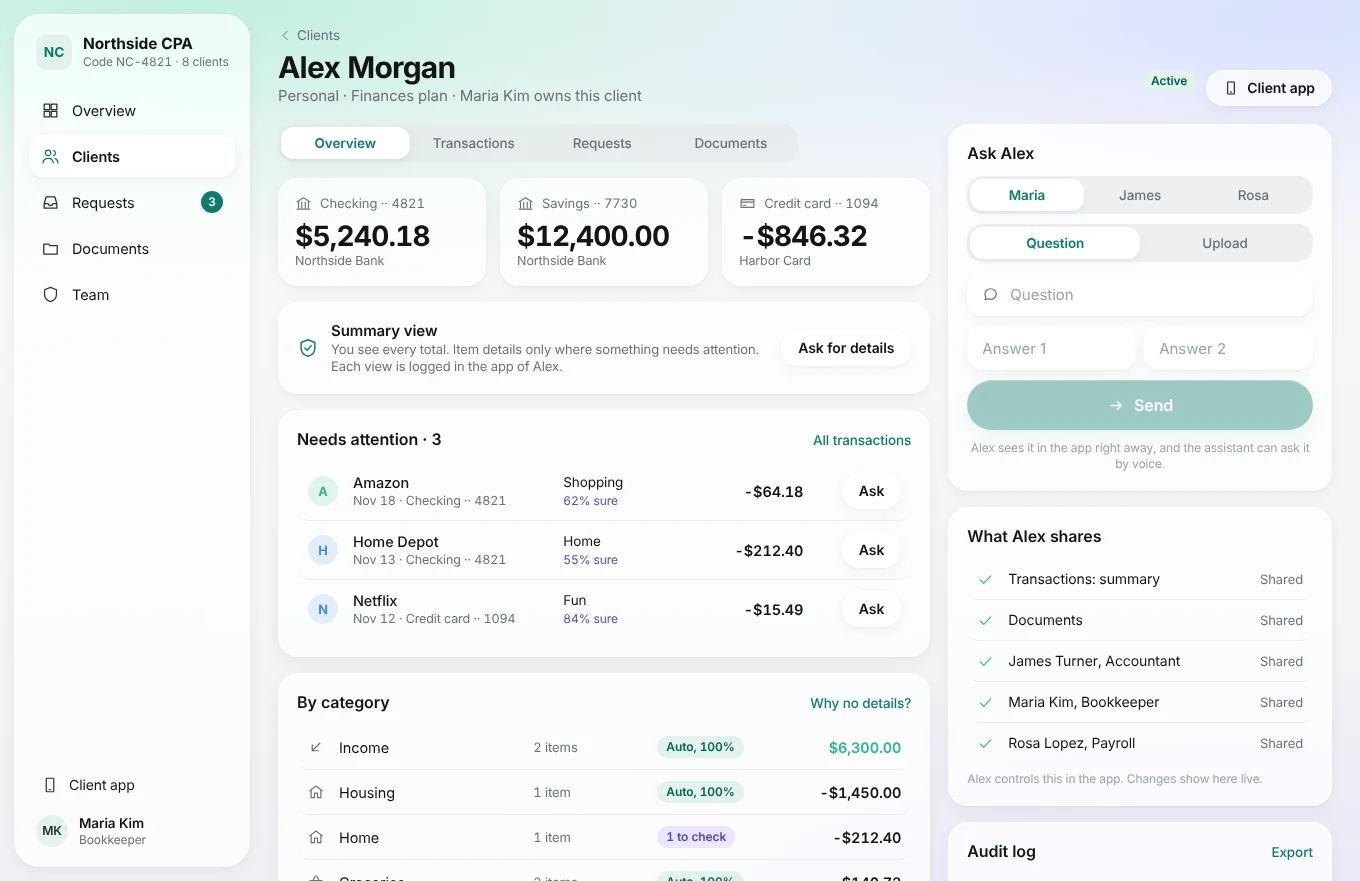
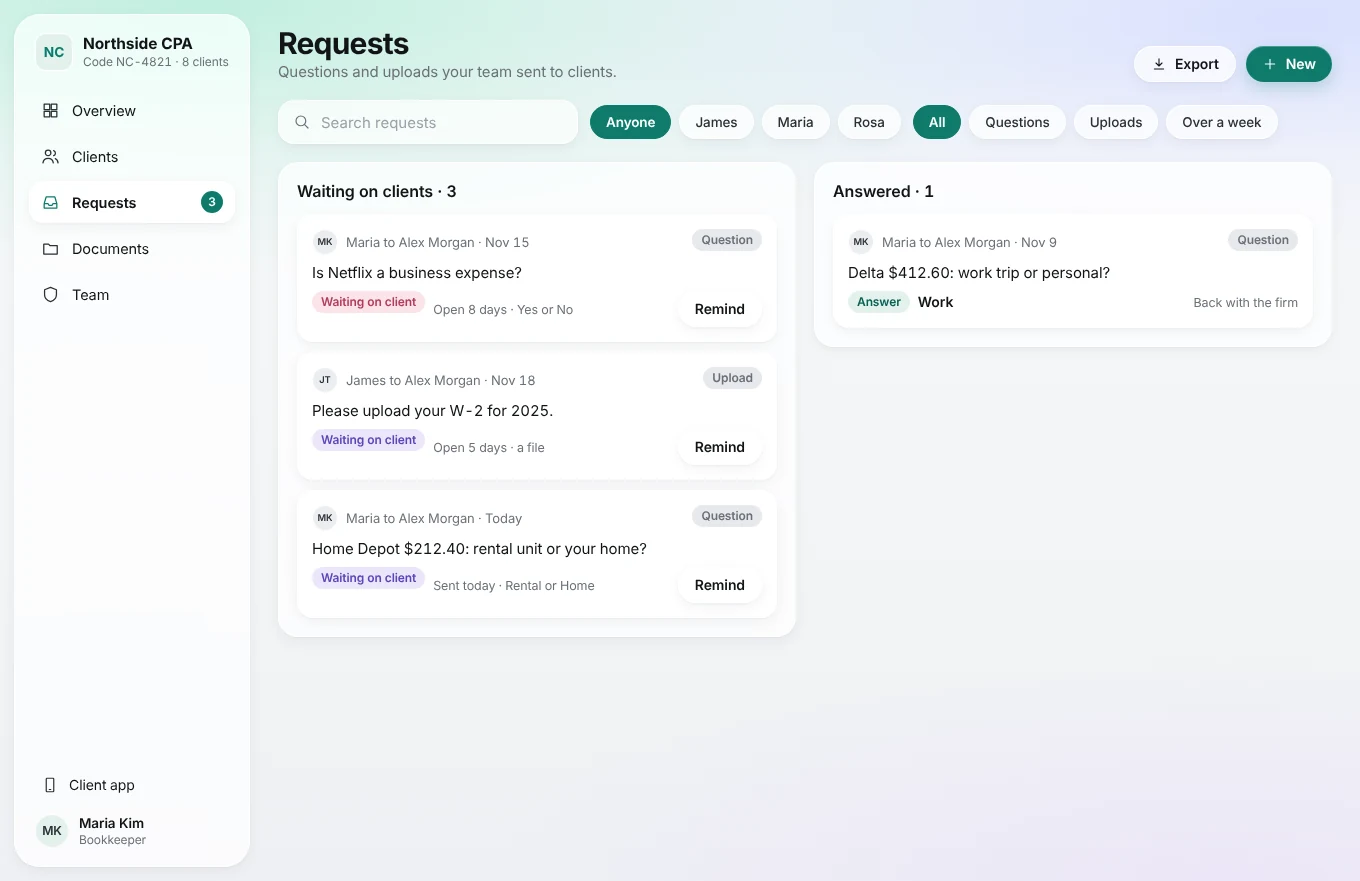
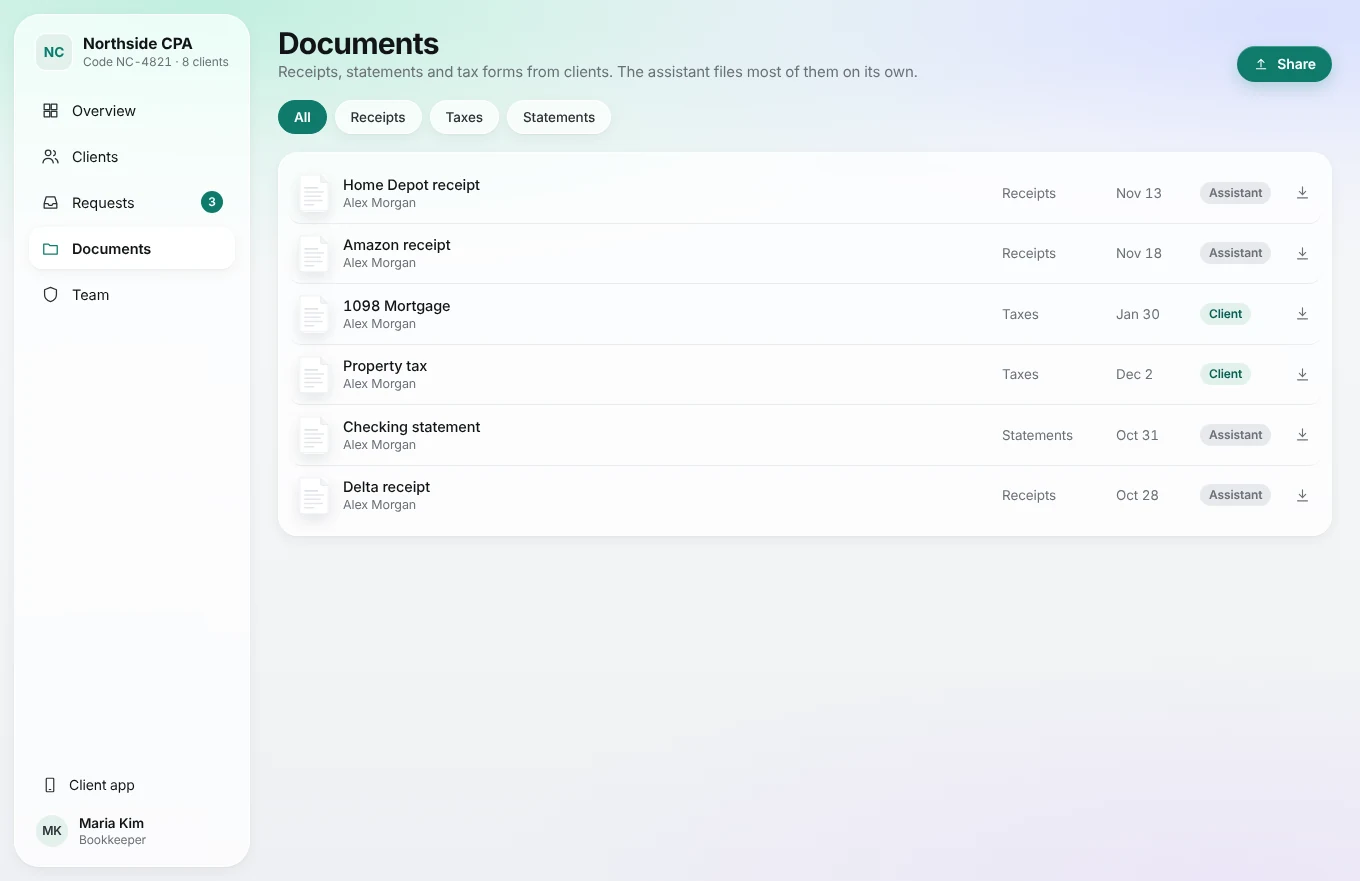
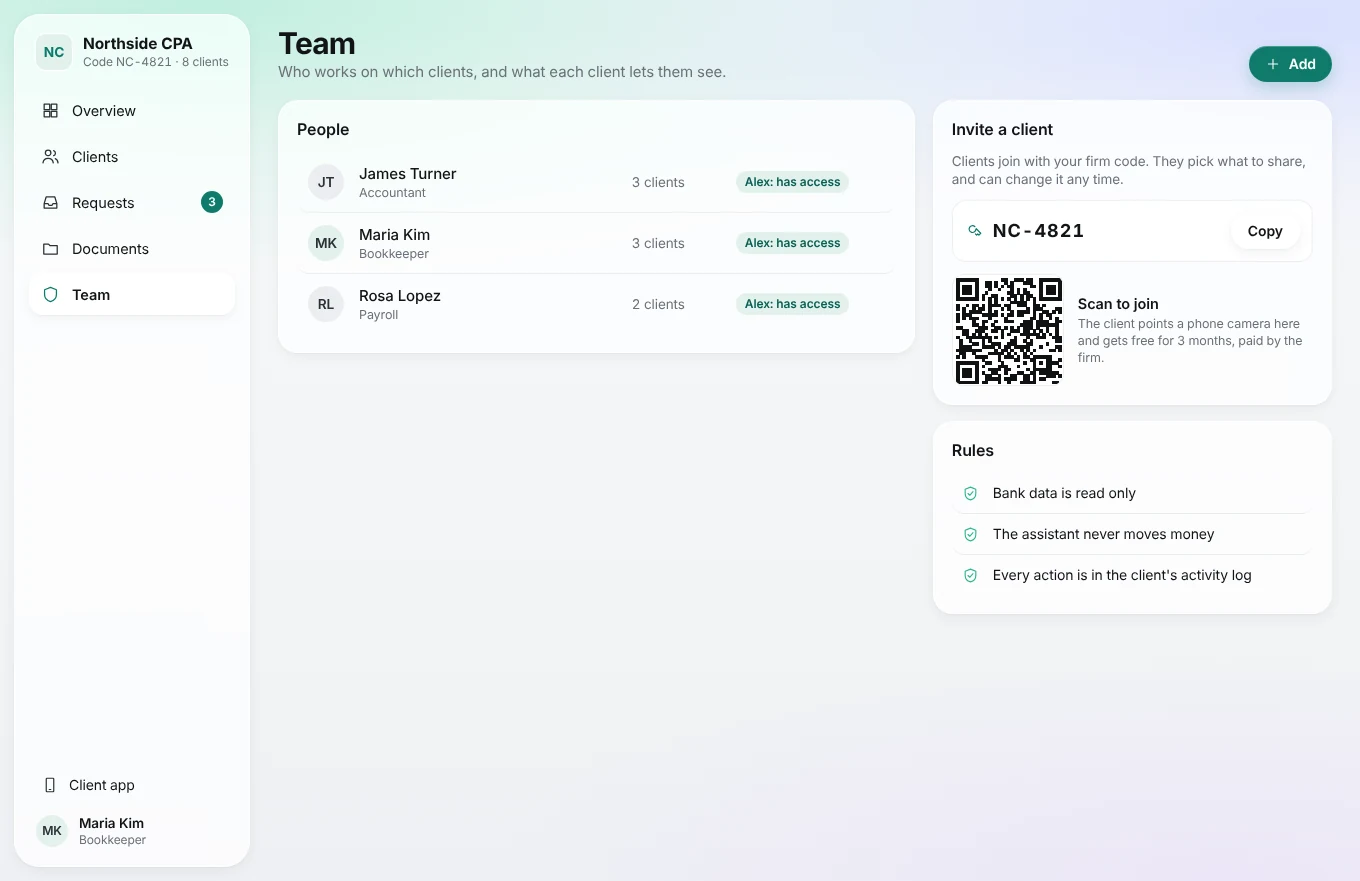
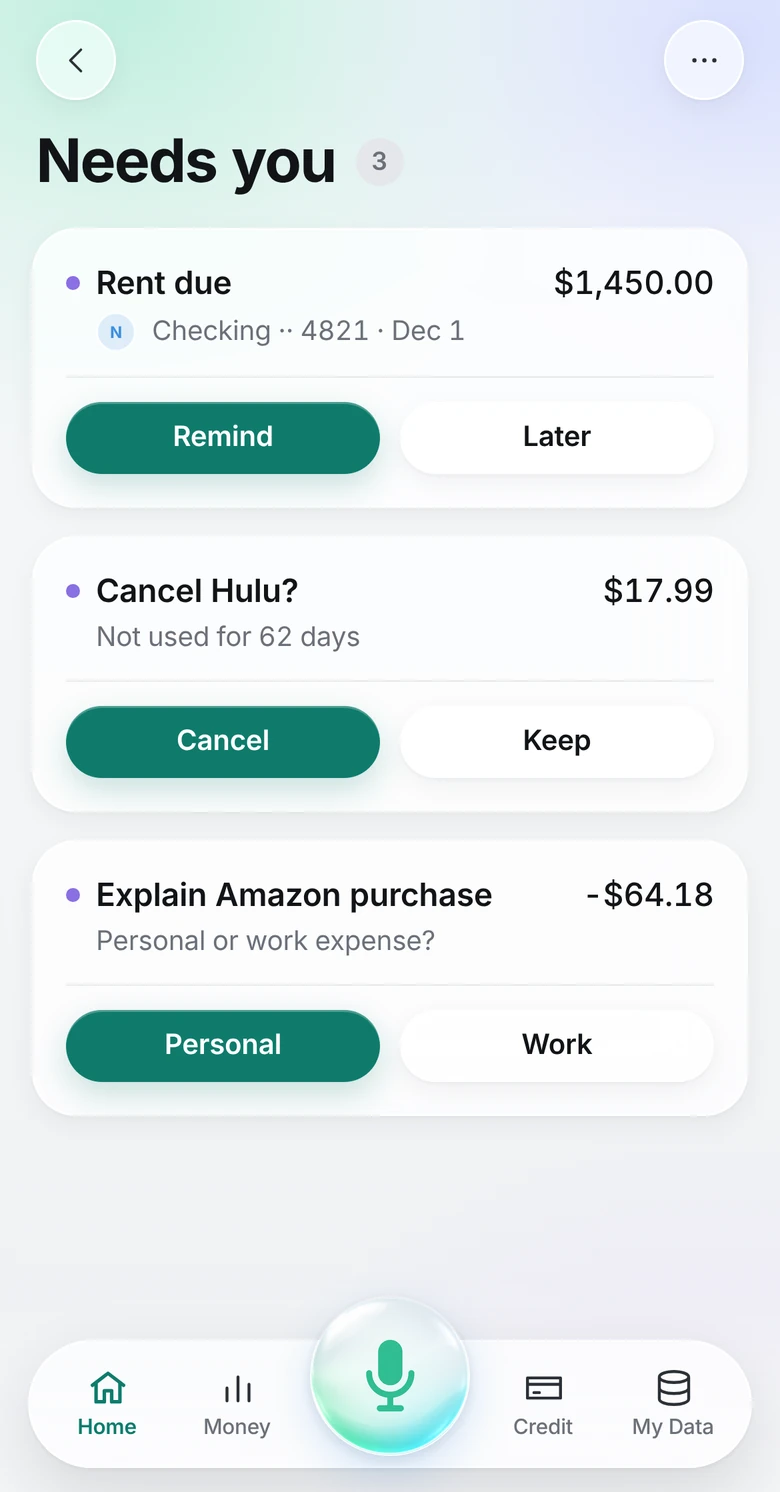
The app and the desk open on sample data, with no sign in. Keep them side by side: a question sent from the desk shows up in the app. Registration opens the app as a new client, starting at sign up.
The desk
Every open question. With its age.
Who asked, who is waiting, and for how long. Try the filters.
MKMaria to Alex Morgan · Nov 15Question
Is Netflix a business expense?
Waiting on clientOpen 8 days · Yes or No
JTJames to Alex Morgan · Nov 18Upload
Please upload your W-2 for 2025.
Waiting on clientOpen 5 days · a file
MKMaria to Alex Morgan · TodayQuestion
Home Depot $212.40: rental unit or your home?
Waiting on clientSent today · Rental or Home
MKMaria to Alex Morgan · Nov 9Question
Delta $412.60: work trip or personal?
AnswerWorkBack with the firm
Nothing matches these filters.
Each request shows who asked, what the client can answer, and how long it has been open.
Audit log
Who looked. On both sides.
MKMaria viewed transactions · Alex Morgan
JTJames viewed documents · Alex Morgan
MKMaria viewed overview · Alex Morgan
The client sees the same list in the app. Entries cannot be edited.
Access
Shared with a person. Not a whole firm.
JT
James TurnerAccountant
Has access
MK
Maria KimBookkeeper
Has access
RL
Rosa LopezPayroll
Removed by client
The client switches a person off, or leaves the firm, in one tap. The desk locks at once.
Documents
Every W-2, 1099 and receipt. Already filed.
Home Depot receiptReceiptsAssistant
1098 MortgageTaxesClient
Checking statementStatementsAssistant
The assistant files receipts and statements as they come in. Clients upload tax forms from the phone.
Export
Your records leave with you.
clients.csv
requests.csv
audit-log.csv
The client list, the requests and each client's audit log download as a file.
What the firm sees
The whole picture. Not every coffee.
Totals by category. Item details open only where HiKit is not sure, or something is flagged.
Your accountant viewed Transactions, 9:41 AM
HousingAuto, 100%$1,450.00
Rent, Checking 4821$1,450.00
GroceriesAuto, 100%$277.00
Jewel-Osco$136.58
Whole Foods$86.12
Trader Joe's$54.30
TransportAuto, 100%$150.00
Shell$61.80
Ventra$50.00
Uber$38.20
FunAuto, 100%$112.00
Lettuce Entertain You$65.51
AMC River East$34.50
Spotify$11.99
Other1 to check$212.40
Home Depot$212.40
Onboarding
Clients join in three steps.
1
Share your code
Send your firm code, or show the QR from the Team page.
2
Client connects
The client joins with the code and connects their bank through Plaid. Read only.
3
Client chooses
Summary or Full details, and which of your people see it. They can change it any time.
Security
Client data, handled with care.
Client consent
Clients join with your code and decide what to share.
Summary by default
Details open only where something needs a look.
Who looked
Every view by your team is in the client's log.
Access by person
The client picks which of your people see their data.
Access can end any time
The client can remove the firm in one tap.
Read only
No one at the firm, and not HiKit, can move client money.
No. HiKit sits between your firm and your clients: questions, answers, documents and the client's picture. Your ledger stays where it is.
What do we see by default?
Totals by category and account. Items open where HiKit is not sure, where something is flagged, or where the client shares Full details.
How do clients join?
With your firm code or QR. They connect their own bank and choose what to share.
Can a client remove us?
Yes, in one tap. Access ends right away, and the desk shows the client as not connected.
Can we get our records out?
Yes. The client list, the requests and each client's audit log download as a CSV file.
What is ready today?
The client app and the firm desk run today on sample data, so you can try the whole round trip yourself. Real client accounts open firm by firm. The Security overview lists what is in place at each stage.
Early access
See it with your clients.
Leave your work email and we will book a 15 minute setup with your own workflow.