HiKit

Ask about your money.
Get the number back.

HiKit reads your accounts, sorts what happened, and asks before anything changes.

The phone is the real app. Tap it and look around.
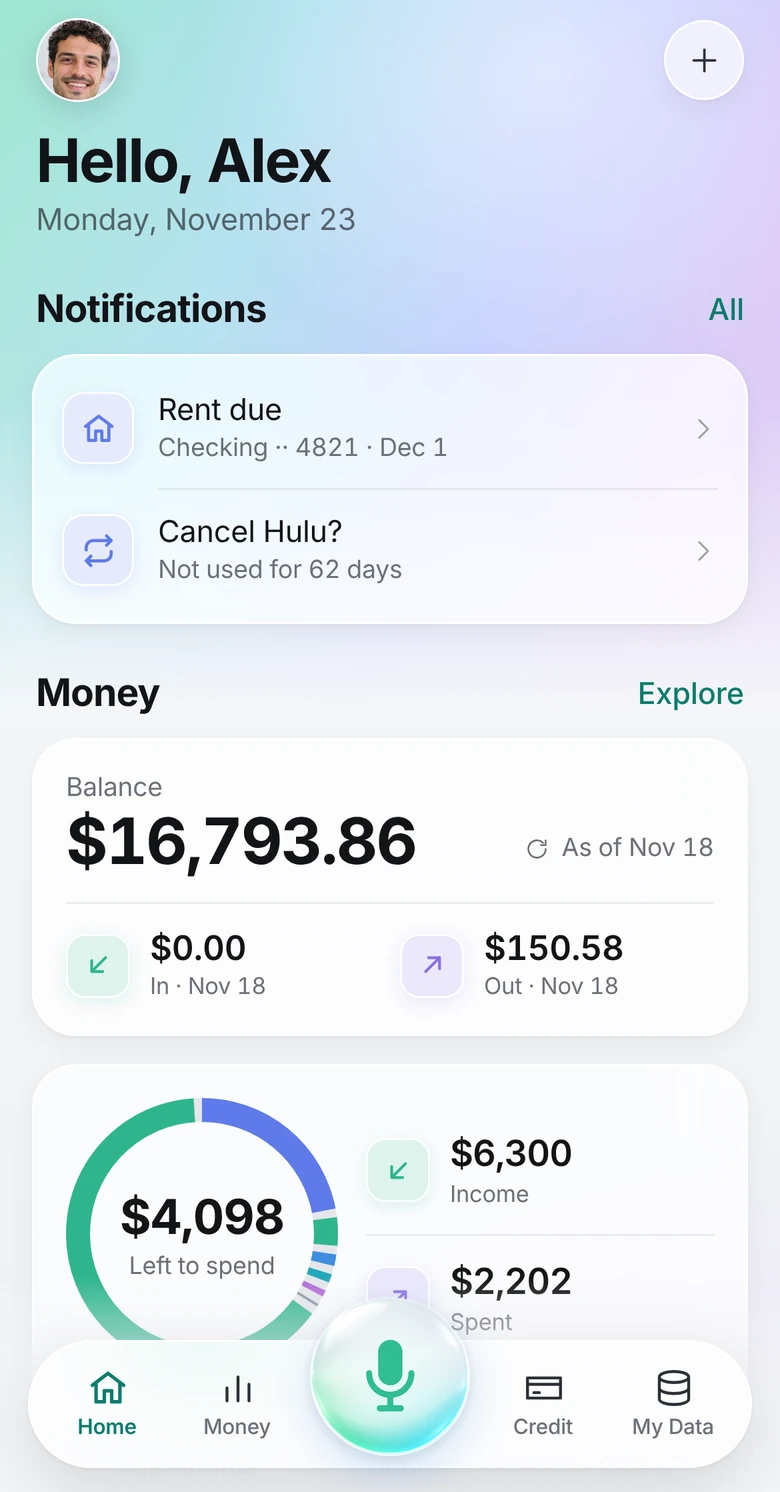
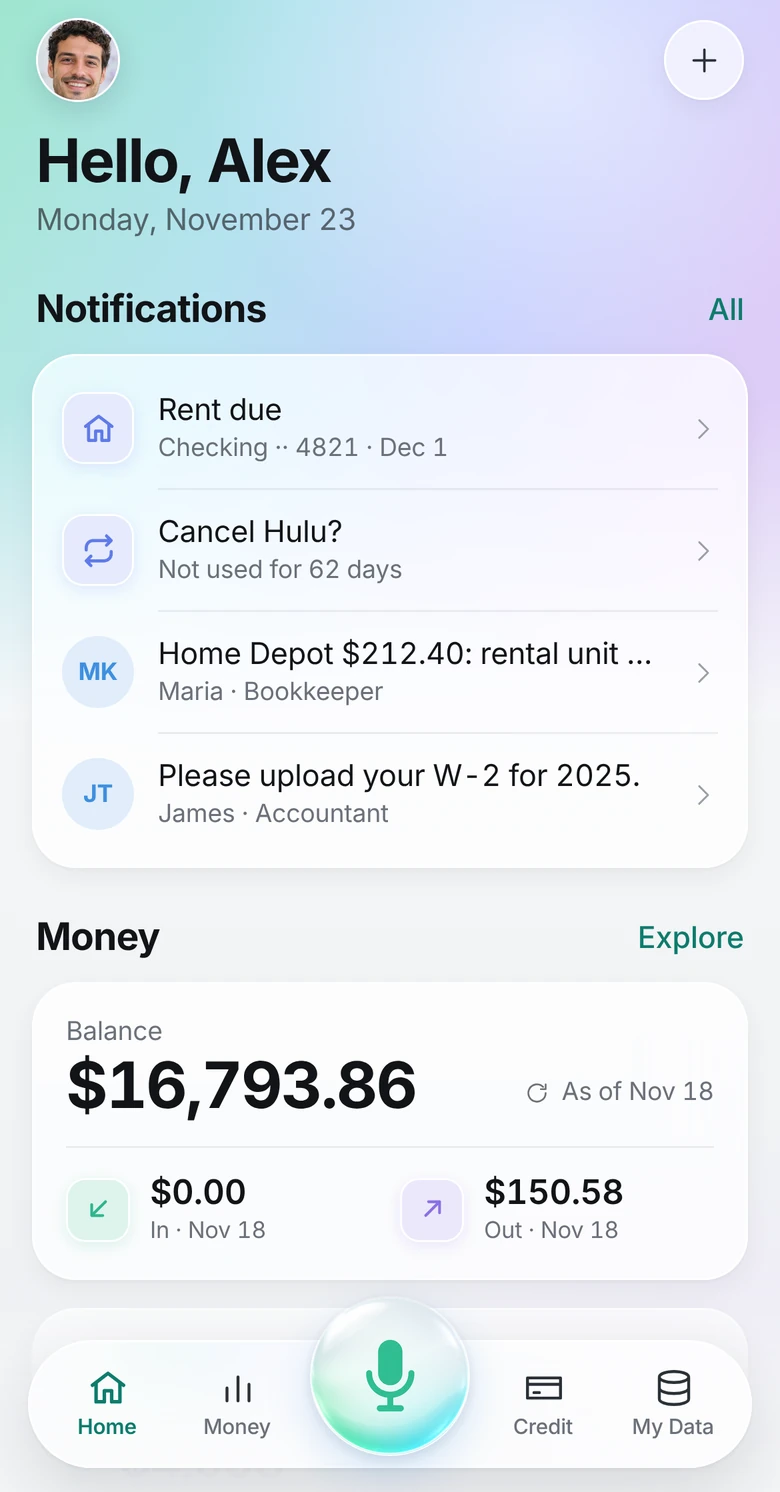
Home screen of the app
Inside

Six screens.
One turn.

Home screen of the app
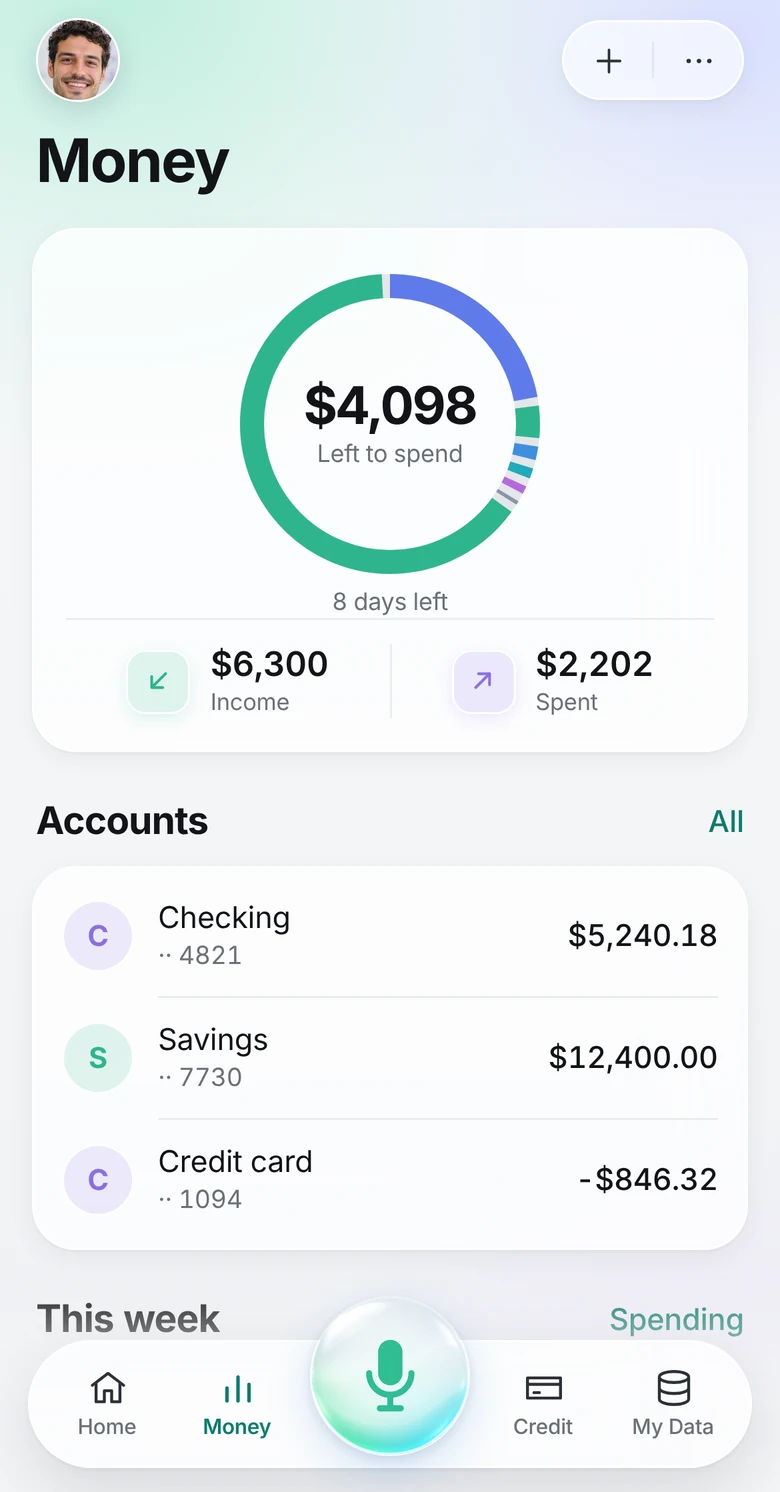
Money screen of the app
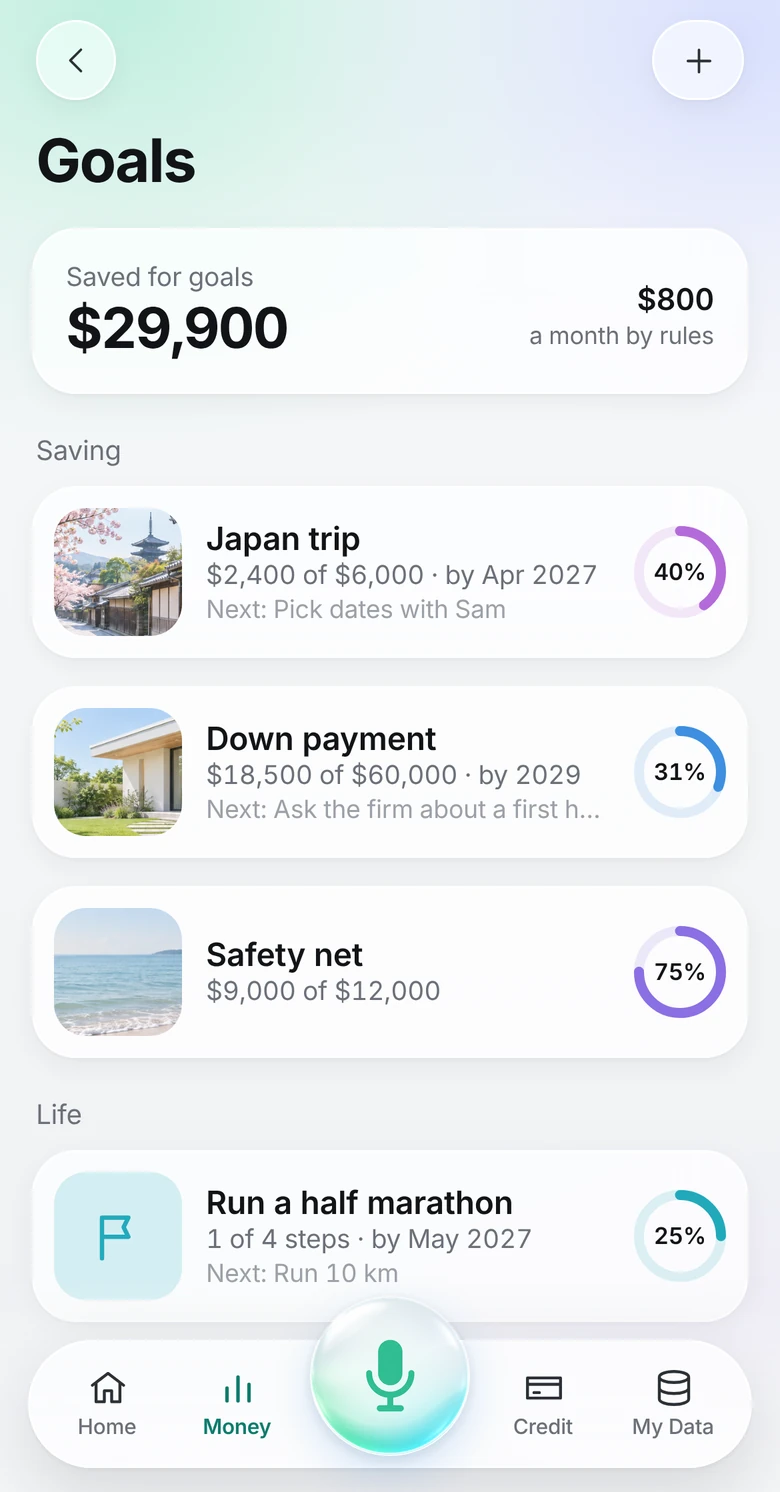
Goals screen of the app
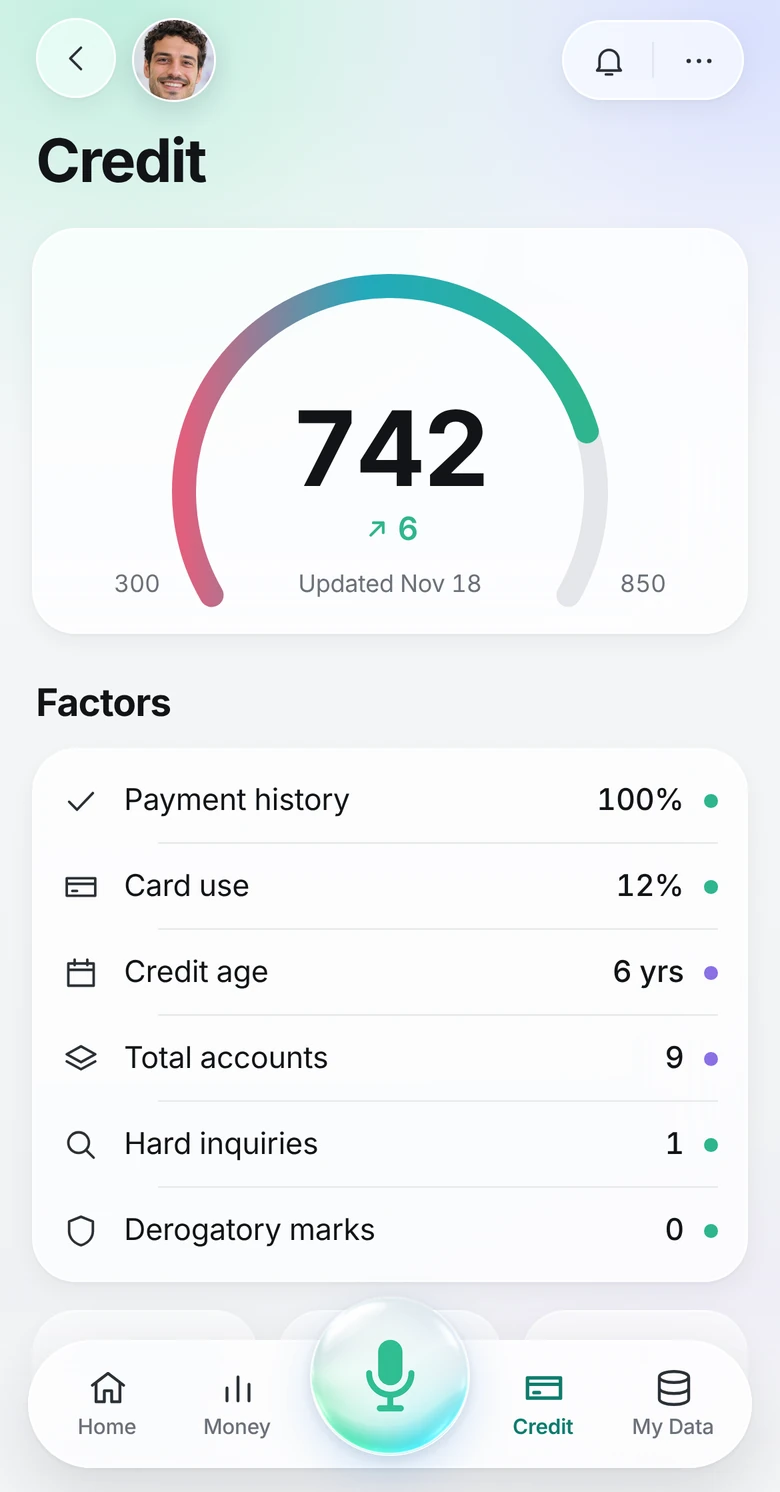
Credit screen of the app
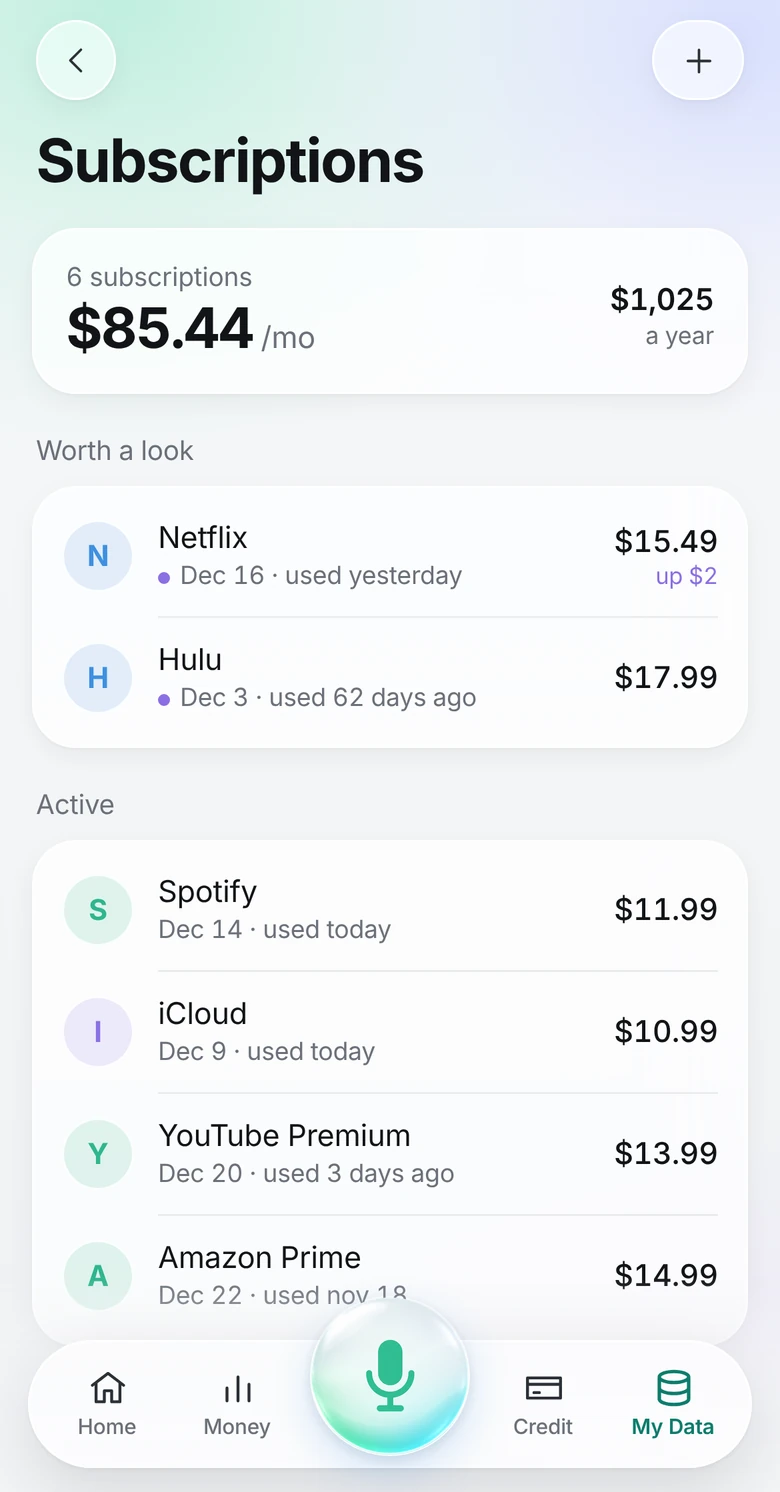
Subscriptions screen of the app
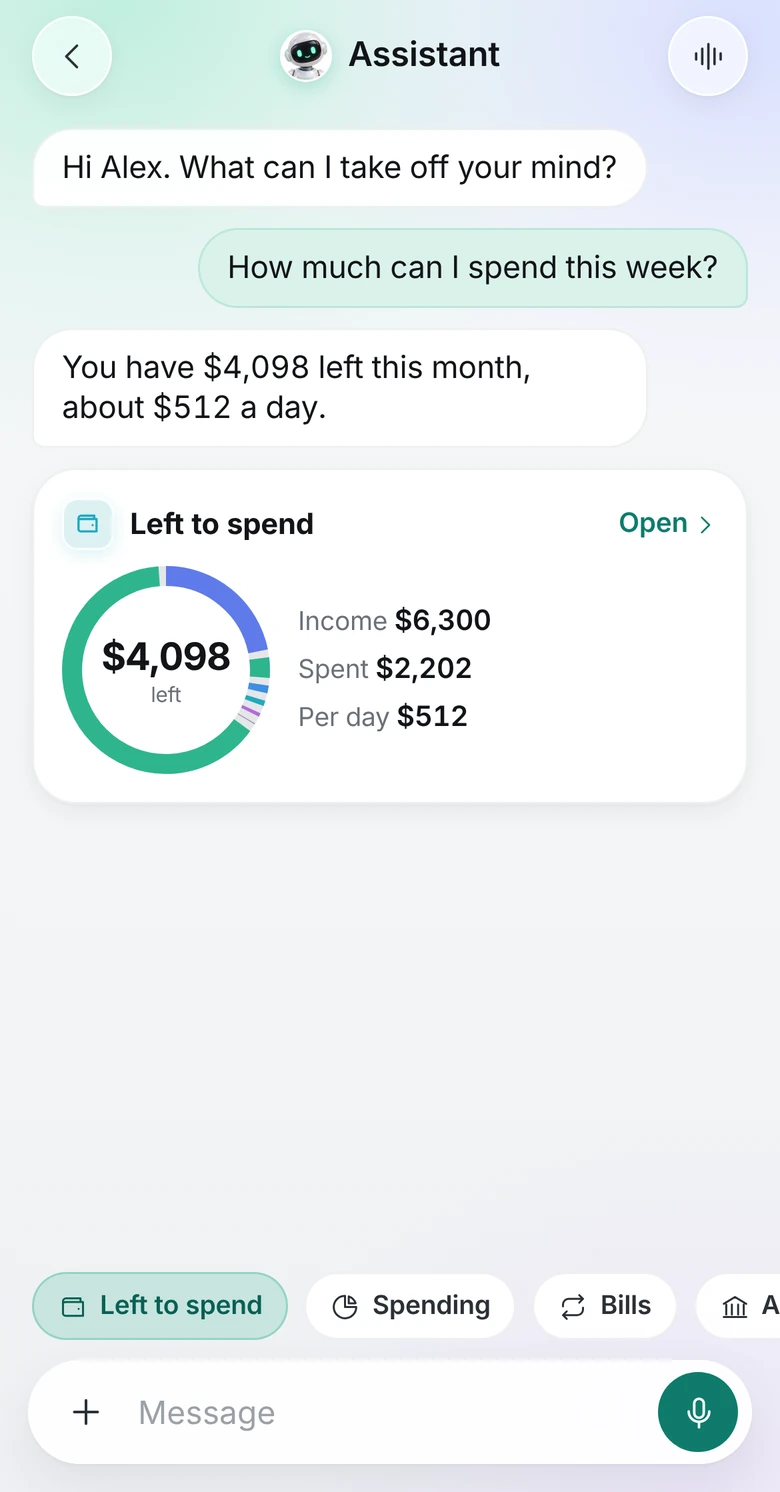
Assistant screen of the app
HomeWhat needs you todayMoneyOne number to spendGoalsPlans with a pictureCreditThe score in plain wordsSubscriptionsWhat you pay forAssistantAnswers with cards
How it works

Three steps.
Then just talk.

1

Connect in two minutes

Link your bank and cards through Plaid. Read only.

2

Ask anything

How much can I spend? When is rent due? The answer comes with the amount, the date and the account.

3

You decide

HiKit suggests. Nothing happens until you tap yes.

Voice

Just ask.
It already knows.

The assistant sits in the middle of every screen. Ask out loud, or type. It answers with the amount, the date and the account.

Sample questions play on their own. Hold to ask the next one.
How much can I spend?
$4,098 left this month, about $512 a day.
Firm and client

Ask once.
Answered with a tap.

The firm asks from its desk. The question lands in the client's app. One tap, and the desk has the answer. No email.
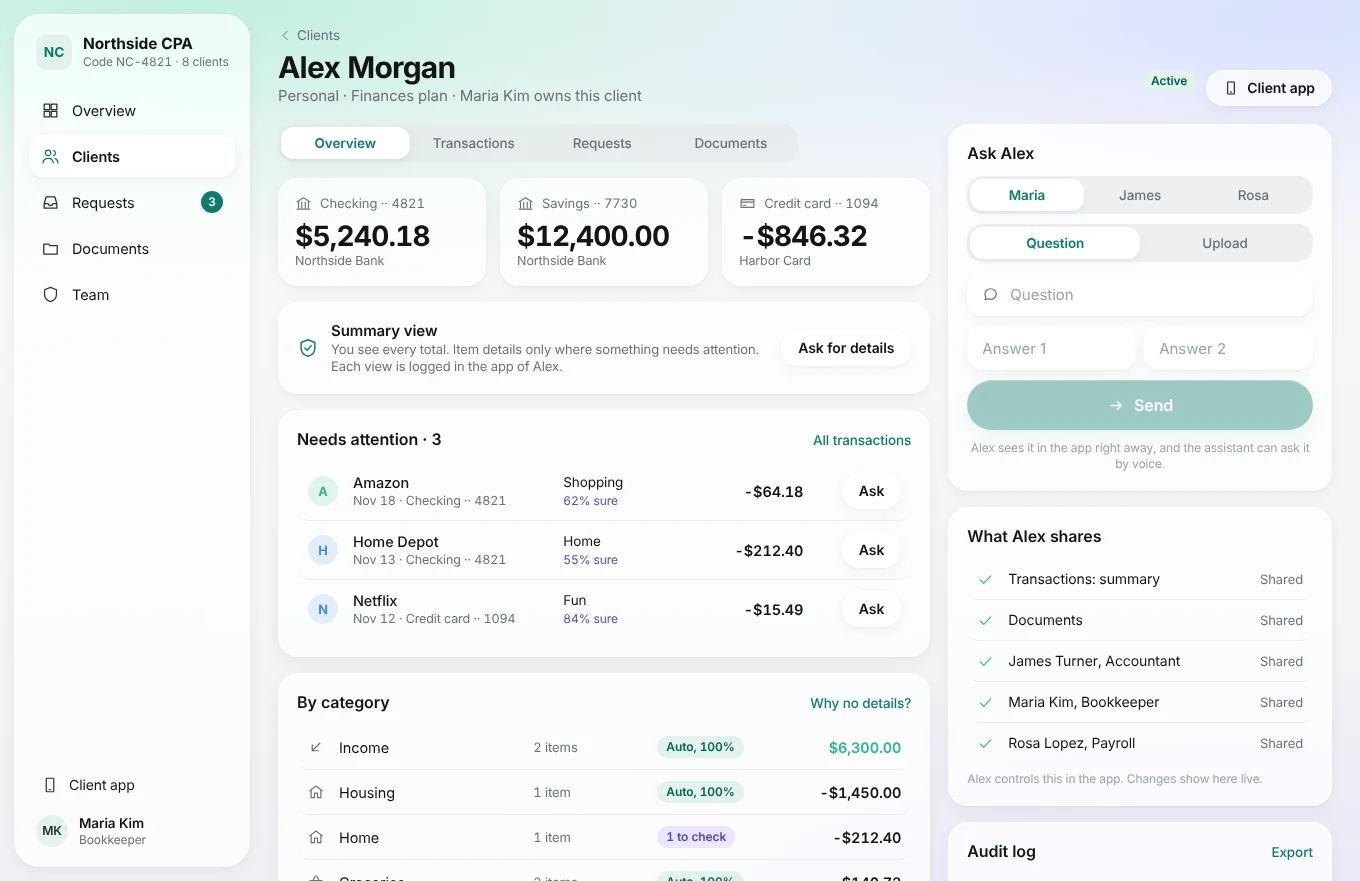
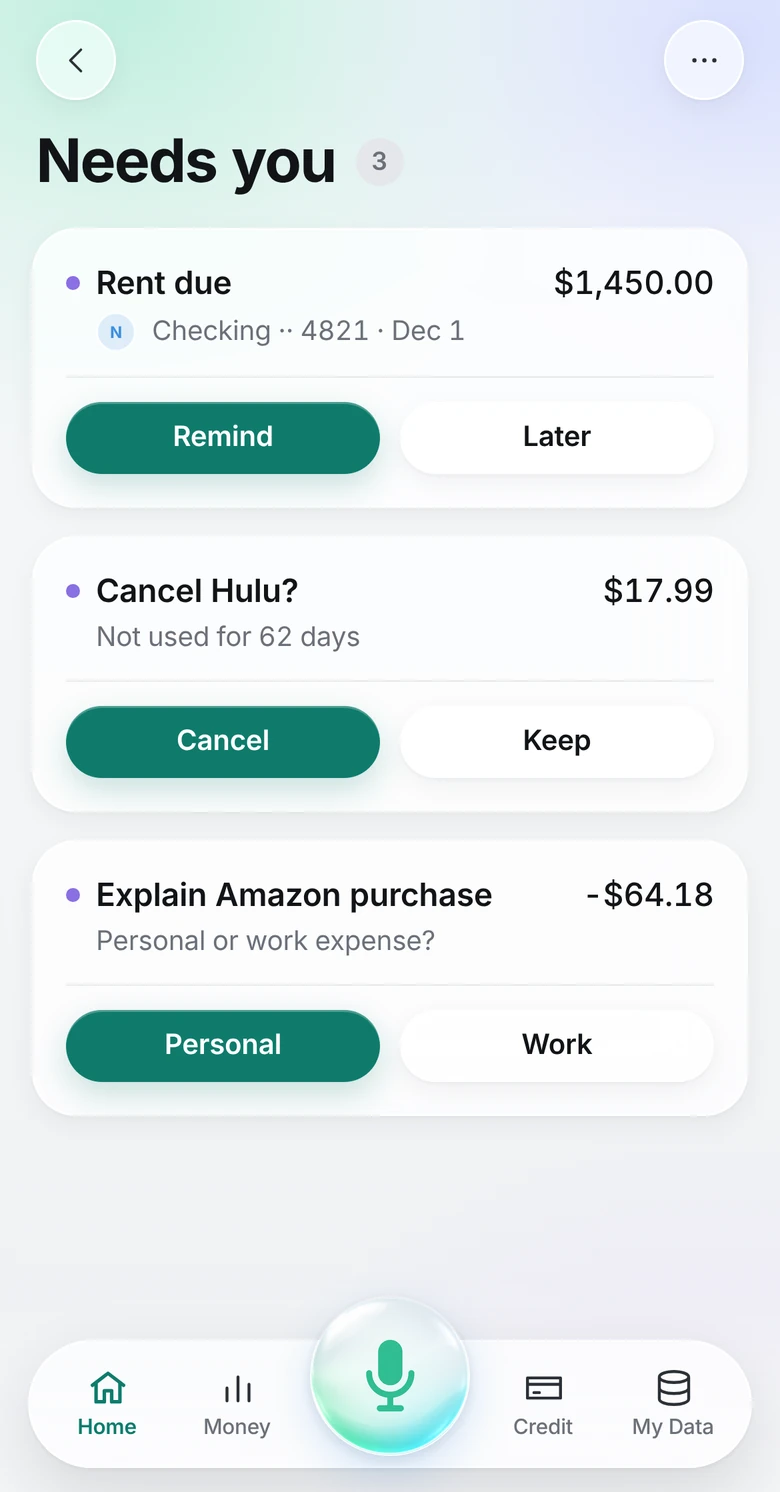
A client in the firm desk
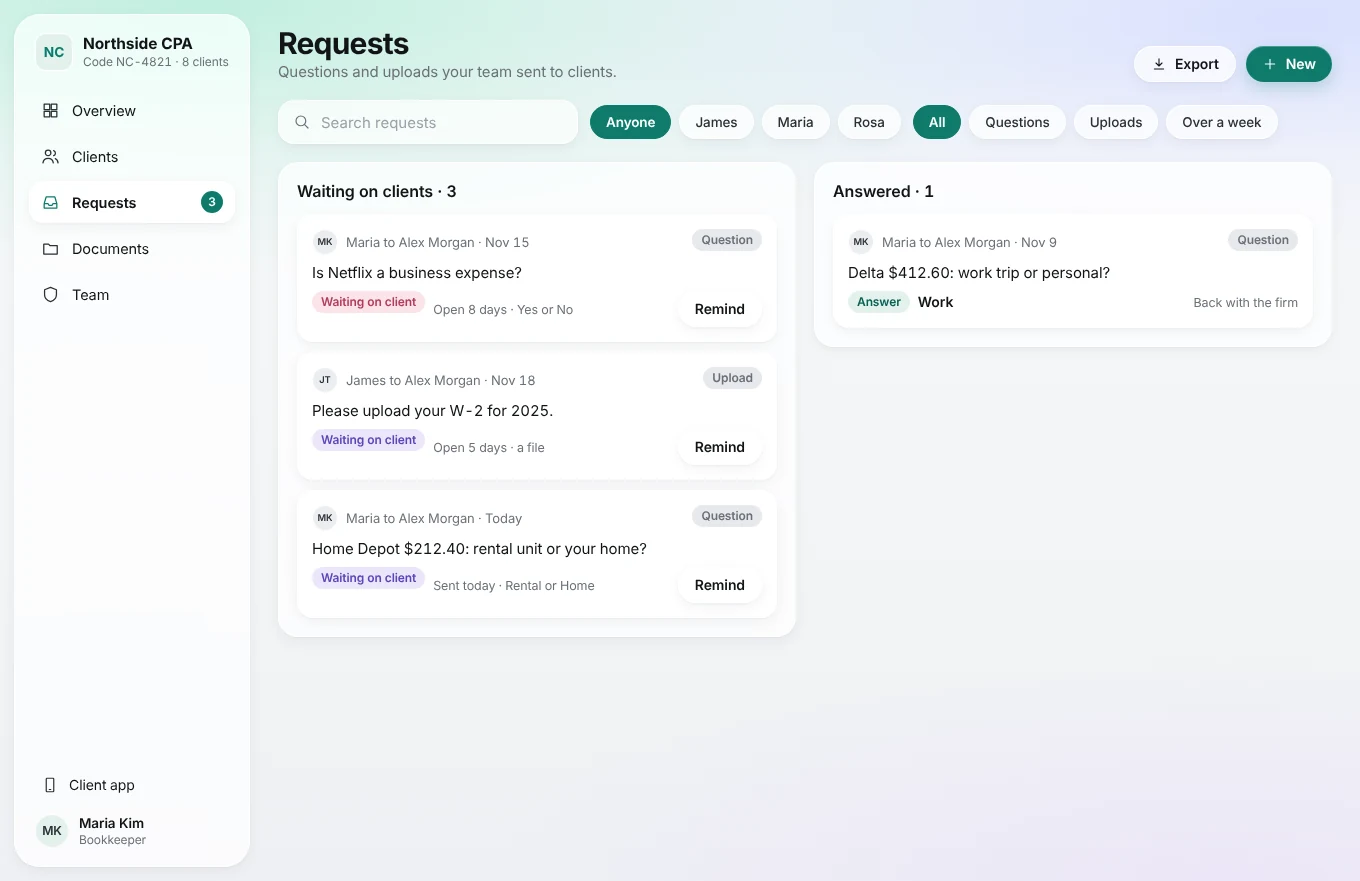
Maria askedHome Depot $212.40: rental unit or your home?
Alex answered: RentalFiled under the rental property, just now
Questions waiting in the client app
From your accountant

Home Depot $212.40: rental unit or your home?

RentalHome
  1. 1The firm asks
  2. 2The client gets it
  3. 3One tap
  4. 4The desk has the answer

The app and the desk open on sample data, with no sign in. Keep them side by side: a question sent from the desk shows up in the app. Registration opens the app as a new client, starting at sign up.

For accounting firms

A desk for the firm
behind the money.

Clients, requests and documents in one place. Your ledger stays where it is.
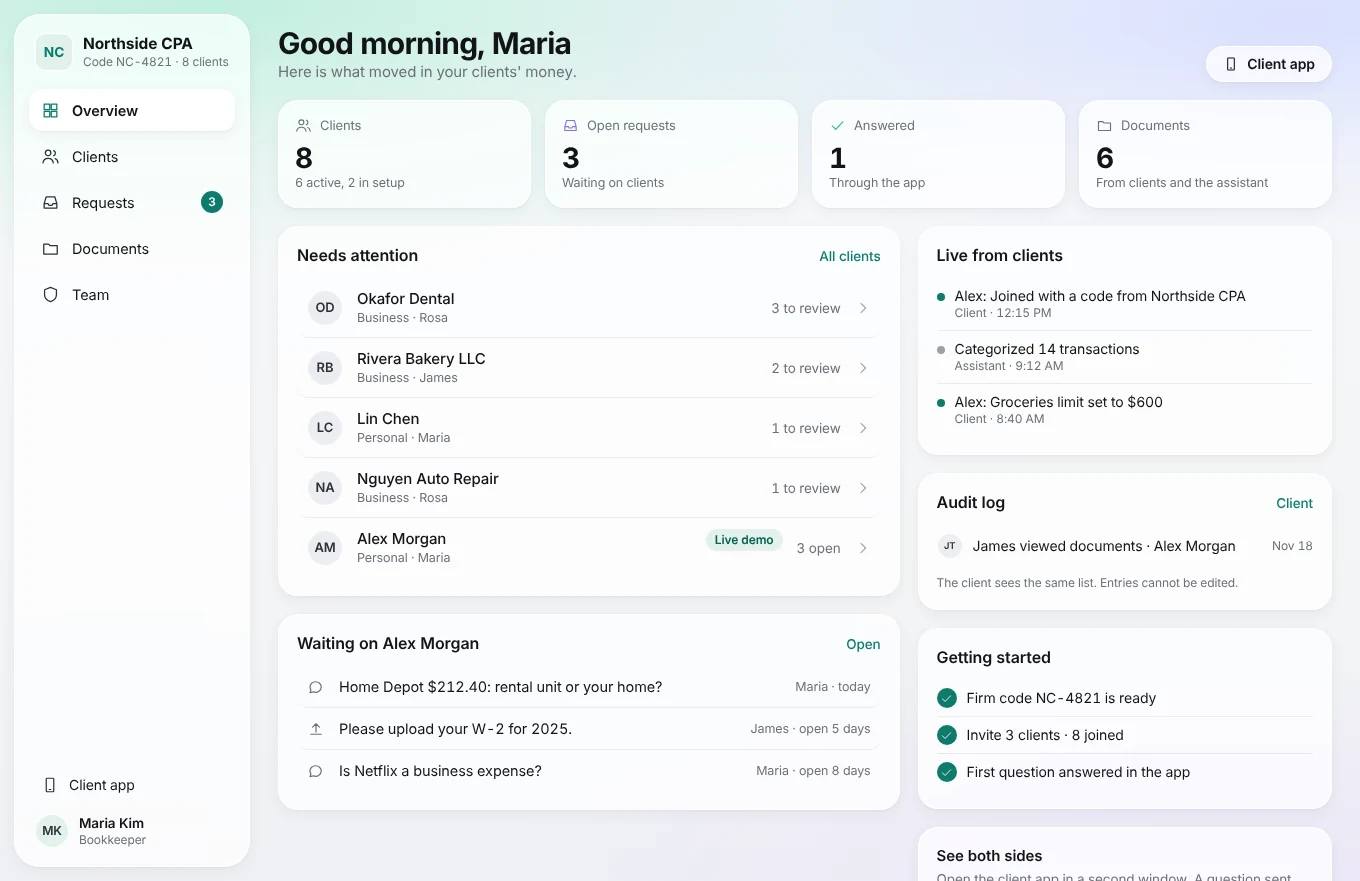
Firm desk overview with clients that need attentionRequests in the firm desk
Why HiKit

What is out there.
And what is missing.

Budget apps

Clear dashboards. You still read them yourself, and your accountant is not in them.

No voiceNo firm

Accounting portals

Built around the firm. Clients still get email, uploads and one more login.

No daily money viewNo voice

Chat assistants

Strong models that do not know your accounts and have no access rules.

No bank dataNo access rules

HiKit

  • Answers out loud, from your real numbers
  • Client and firm in one conversation
  • Read only. The client decides what the firm sees
  • No setup. Connect a bank once, then just ask
Security

Security first.
Before anything else.

Read only

Banks connect through Plaid. HiKit sees balances and transactions. It cannot move money.

No bank passwords

You sign in at your bank. Your bank never shares your password, and HiKit never sees it.

Encrypted

Data is encrypted on the way and at rest.

You decide

Nothing changes without your tap.

Every look is logged

When your firm opens your data, you see who, what and when.

Revoke in one tap

Remove your firm or disconnect a bank. Access ends right away.

Early access

See it with
your own numbers.

Open now for a small group of clients whose firms are already on HiKit.